
UI/UX Design Course
August 18, 2026 2026-08-18 4:59UI/UX Design Course
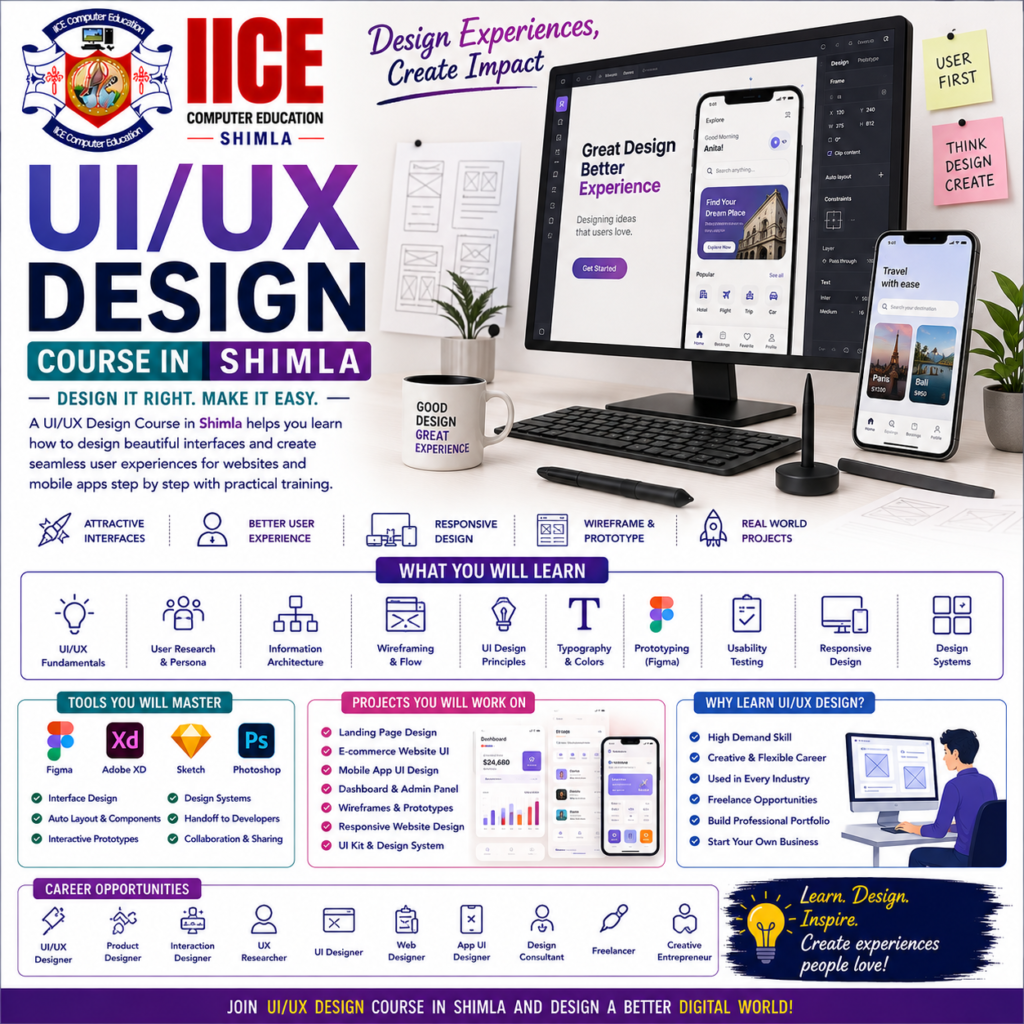
UI/UX Design Course in Shimla
Introduction
A UI/UX Design Course in Shimla helps students learn how to design websites and mobile apps that look attractive and are easy to use. UI means User Interface, which focuses on how a website or app looks, while UX means User Experience, which focuses on how easily people can use it.
At IICE Computer Education Shimla, students can learn UI/UX design step by step through simple lessons, design practice, wireframes, prototypes, and practical projects.
UI/UX design does not require students to be professional artists. Beginners can start by learning colours, fonts, layouts, buttons, and simple screen designs. They can then move toward user research, wireframing, prototyping, responsive design, and complete website and mobile app interface projects.
What Is UI/UX Design?
UI/UX Design is about creating digital products that are easy to understand, attractive, and comfortable to use.
For example, when you open a mobile app, you see buttons, menus, icons, images, and different screens. These are part of the UI. The way you move from one screen to another and complete a task is part of the UX.
A simple design process can be understood as:
Understand Users → Plan → Wireframe → Design → Prototype → Test → Improve
Difference Between UI and UX
Although UI and UX work together, they have different focuses.
UI – User Interface
UI focuses on the visual appearance of a website or application.
Students can learn about:
- Colours
- Fonts
- Buttons
- Icons
- Images
- Spacing
- Layouts
- Screen designs
UX – User Experience
UX focuses on how a person experiences and uses a website or application.
Students can learn about:
- User needs
- User journeys
- Navigation
- Wireframes
- Information structure
- Usability
- User testing
- Improving user experience
In simple words:
UI = How it looks
UX = How it works and feels to use
Why Learn UI/UX Design?
Websites and mobile applications need to be easy to use as well as visually attractive. A good UI/UX designer thinks about what users need before creating the final design.
Learning UI/UX design can help students understand how digital products are planned and designed before developers start coding them.
Key Benefits
- Learn UI and UX fundamentals
- Understand user needs
- Learn design principles
- Create website layouts
- Design mobile app screens
- Create wireframes
- Build prototypes
- Learn typography
- Understand colour theory
- Create design systems
- Practise user-friendly design
- Build UI/UX projects
- Create a professional design portfolio
UI/UX Design Course for Beginners
A UI/UX Design Course in Shimla can be suitable for school and college students, graduates, job seekers, freelancers, graphic designers, web developers, digital marketing learners, and beginners interested in digital design.
Students do not need advanced coding knowledge to begin. Basic computer knowledge and an interest in design are enough to start learning.
What Will You Learn?
Students can learn the UI/UX design process from the beginning to practical project development.
The learning journey can include:
Design Basics → User Research → Wireframes → UI Design → Prototype → Testing → Final Project
Students can also learn how to design interfaces for websites, mobile apps, dashboards, landing pages, and other digital products.
UI/UX Design Course Syllabus
The syllabus is divided into 4 major modules to make learning simple and practical.
Module 1: UI/UX Fundamentals & Design Principles
- Introduction to UI/UX Design
- UI vs UX
- Design Thinking Basics
- Understanding Users
- User Needs
- Design Principles
- Colour Theory
- Typography
- Visual Hierarchy
- Spacing
- Alignment
- Grids and Layouts
- Icons and Images
- Design Consistency
- Accessibility Basics
- Basic UI Design Project
Module 2: UX Research & Wireframing
- Introduction to UX Research
- Understanding User Problems
- User Personas
- User Goals
- User Journey
- User Flow
- Information Architecture
- Navigation Planning
- Wireframes
- Low-Fidelity Design
- High-Fidelity Design Basics
- Website Wireframing
- Mobile App Wireframing
- Usability Basics
- UX Research Project
Module 3: Figma & UI Design
- Introduction to Figma
- Figma Workspace
- Frames
- Shapes
- Text
- Components
- Auto Layout
- Constraints
- Colours
- Typography
- Buttons
- Cards
- Navigation
- Forms
- Icons
- Responsive Design Basics
- Design Systems
- Website UI Design
- Mobile App UI Design
Module 4: Prototyping, Testing & Portfolio
- Interactive Prototypes
- Screen Connections
- User Flows
- Micro-Interactions Basics
- Prototype Testing
- Usability Testing
- Finding Design Problems
- Improving User Experience
- Design Handoff Basics
- Developer Collaboration
- Website Design Project
- Mobile App Design Project
- Portfolio Development
- Case Study Creation
- Final UI/UX Project
- Project Presentation
Why Choose IICE Computer Education Shimla?
UI/UX design is best learned by creating actual screens and solving simple design problems. Students need opportunities to make wireframes, design interfaces, create prototypes, test their ideas, and improve their work.
IICE Computer Education Shimla provides computer and technology training with a practical learning approach. Students choosing a UI/UX Design Course in Shimla can learn through structured lessons, design exercises, Figma practice, trainer guidance, and practical projects.
Key Reasons to Choose IICE
- ISO 9001:2015 Certified
- Government Registered
- MSME/Udyam Registered
- Practical computer training
- Beginner-friendly learning
- UI/UX fundamentals
- Figma training
- Wireframing
- Prototyping
- Website UI design
- Mobile app UI design
- User experience concepts
- Project-based learning
- Trainer guidance
- Portfolio development
- Career-focused learning
- Classroom training in Shimla
IICE can be considered by students who want to learn UI/UX design through practical design work and build a portfolio of website and mobile app projects.