
SolidWorks Course
August 19, 2026 2026-08-19 8:45SolidWorks Course
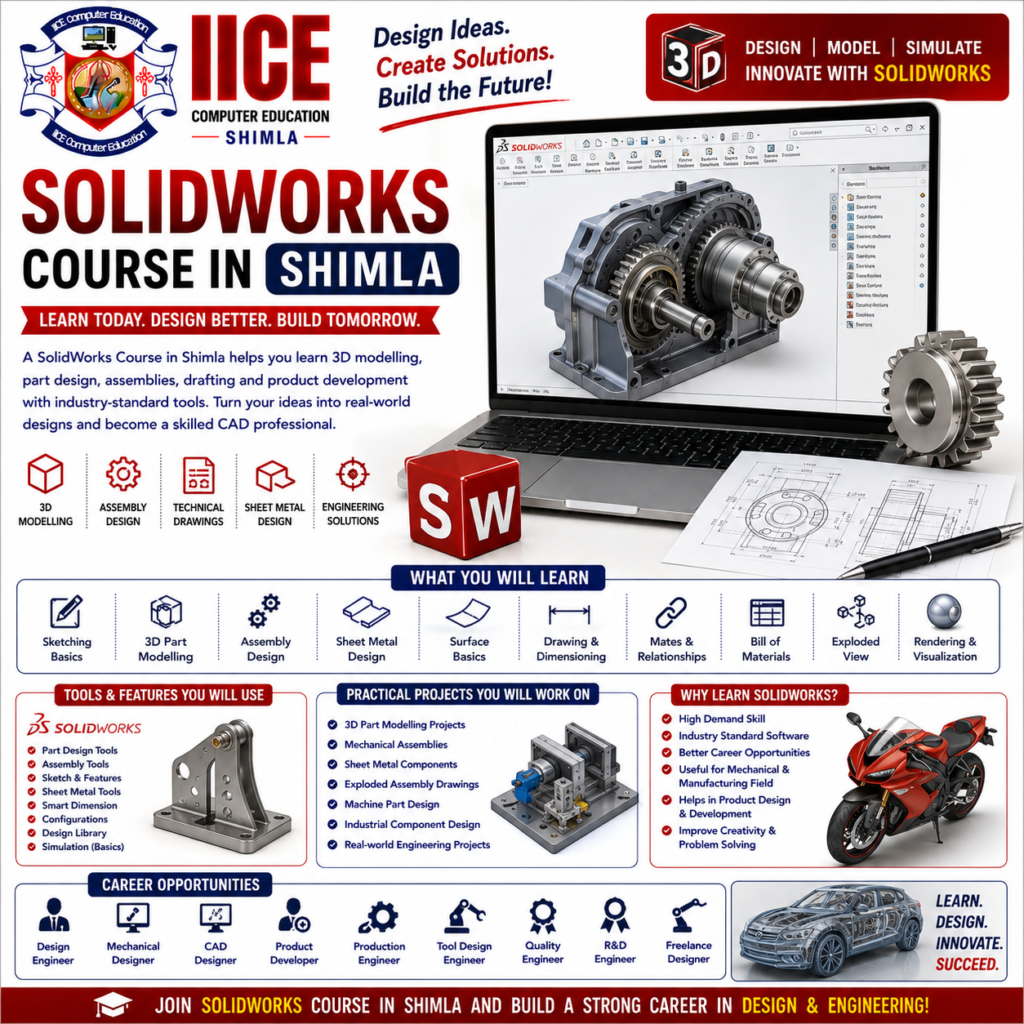
SolidWorks Course in Shimla
Introduction
A SolidWorks Course in Shimla helps students learn how to create 3D models, mechanical designs, parts, assemblies, and technical drawings using SolidWorks. Students can learn how an idea can be changed into a computer-based 3D design and then converted into a detailed engineering drawing.
At IICE Computer Education Shimla, students can learn SolidWorks step by step through simple explanations, modelling practice, design exercises, and practical projects.
SolidWorks may look difficult at first, but students can learn it one tool at a time. They can start with simple sketches and basic shapes and gradually learn 3D part modelling, assemblies, sheet metal, surface basics, dimensions, technical drawings, and design modifications. This makes a SolidWorks Course in Shimla useful for beginners, engineering students, diploma students, mechanical design learners, and students who want to develop CAD and 3D modelling skills.
What Is SolidWorks?
SolidWorks is a 3D CAD software widely used for designing mechanical parts, products, assemblies, and engineering drawings.
In simple words:
Sketch → 3D Part → Assembly → Drawing → Final Design
Instead of making every design manually, students can create a digital 3D model, change its size or shape, combine it with other parts, and prepare technical drawings.
Why Learn SolidWorks?
3D design skills are useful in mechanical engineering, product design, manufacturing, automotive, industrial design, and other technical fields.
Learning SolidWorks can help students understand how mechanical products are designed before they are manufactured.
Key Benefits
- Learn SolidWorks from basics
- Learn 2D sketching
- Create 3D parts
- Understand dimensions and constraints
- Learn feature-based modelling
- Create assemblies
- Create technical drawings
- Learn basic sheet metal design
- Understand design modifications
- Learn basic surface modelling
- Create mechanical components
- Practise product design
- Work on practical projects
- Build a CAD portfolio
SolidWorks Course for Beginners
A SolidWorks Course in Shimla can be suitable for engineering students, diploma students, mechanical engineering learners, product design students, CAD learners, graduates, job seekers, and beginners interested in 3D mechanical design.
Students do not need to be expert designers before joining. Basic computer knowledge and an interest in engineering or 3D design can help them start learning.
What Will You Learn?
Students can learn SolidWorks gradually:
Sketching → Features → 3D Parts → Assemblies → Drawings → Sheet Metal → Projects
This approach allows beginners to understand each stage before creating complete mechanical designs.
SolidWorks Course Syllabus
Module 1: SolidWorks Fundamentals & Sketching
- Introduction to SolidWorks
- CAD and 3D Modelling Concepts
- SolidWorks Interface
- Command Manager
- Design Tree
- Document Types
- Part
- Assembly
- Drawing
- Sketching Basics
- Lines
- Circles
- Arcs
- Rectangles
- Polygons
- Splines
- Smart Dimensions
- Geometric Relations
- Sketch Constraints
- Fully Defined Sketches
- Basic Sketch Project
Module 2: 3D Part Modelling
- Introduction to Part Modelling
- Extruded Boss/Base
- Extruded Cut
- Revolved Boss/Base
- Revolved Cut
- Sweeps
- Lofts
- Fillet
- Chamfer
- Shell
- Pattern Features
- Mirror Features
- Hole Wizard
- Reference Geometry
- Planes
- Axes
- Design Modifications
- Mass Properties
- Practical 3D Part Projects
Module 3: Assembly & Technical Drawings
- Introduction to Assemblies
- Adding Components
- Assembly Mates
- Standard Mates
- Component Relationships
- Assembly Design
- Exploded Views
- Interference Detection Basics
- Assembly Modifications
- Introduction to Engineering Drawings
- Drawing Sheets
- Views
- Section Views
- Detail Views
- Dimensions
- Annotations
- Bill of Materials
- Drawing Templates
- Practical Assembly Project
Module 4: Sheet Metal, Design Practice & Projects
- Introduction to Sheet Metal
- Base Flange
- Edge Flange
- Sheet Metal Bends
- Fold and Unfold
- Flat Pattern
- Basic Surface Modelling
- Design Intent
- Design Changes
- Model Evaluation
- Basic Rendering Concepts
- Design Documentation
- Manufacturing Drawing Basics
- Final Mechanical Design Project
- Portfolio Development
Why Choose IICE Computer Education Shimla?
3D design becomes easier when students can create models themselves and understand how each feature changes the design. Practical exercises can help learners understand sketches, parts, assemblies, drawings, and design modifications.
IICE Computer Education Shimla provides computer and technology training with a practical learning approach. Students choosing a SolidWorks Course in Shimla can learn through structured lessons, modelling exercises, practical assignments, trainer guidance, and design projects.
Key Reasons to Choose IICE
- ISO 9001:2015 Certified
- Government Registered
- MSME/Udyam Registered
- Practical CAD training
- Beginner-friendly learning
- 2D sketching
- 3D part modelling
- Assembly design
- Engineering drawings
- Sheet metal basics
- Design modification
- Practical mechanical projects
- Trainer guidance
- Portfolio development
- Career-focused learning
- Classroom training in Shimla